RAG and Snowflake
Retrieve Augmented Generation is a method to extract specific pieces of content and include it into the context window of a large language model. It supports questions asked to a LLM by including pieces of data that has been structured into a database. This can be unstructured or structured data. In case of unstructured data there will be a tag or classification linked to the source. This tag or classification can be used to retrieve the relevant unstructured data. Again, this unstructured data will be used as input and context for the LLM to answer the question. For example: let’s say you want to understand what happened on the first January of 2000. You can use a database that includes all newspapers categorized per day. The LLM will know that he needs to retrieve all newspapers/pdfs linked to the first January of 2000. It will use these pdfs as input to answer your question.
Snowflake
Although RAG is a general method, this article dives into the creation of a RAG pipeline using Snowflake. Cortex LLM functions within snowflake enable RAG creation. With these cortex LLM functions that run on NVIDIA chips Snowflake focuses on businesses that want to do more with AI. Customizing AI costs businesses too much time and recourses: Snowflake aims to make it simpler to use LLM within a Datawarehouse environment. RAG is especially useful when inhouse data should be used as context. RAG uses the inhouse structured data by searching it, retrieving it and use it within an LLM context.
Building a RAG
You need several components to build a RAG:
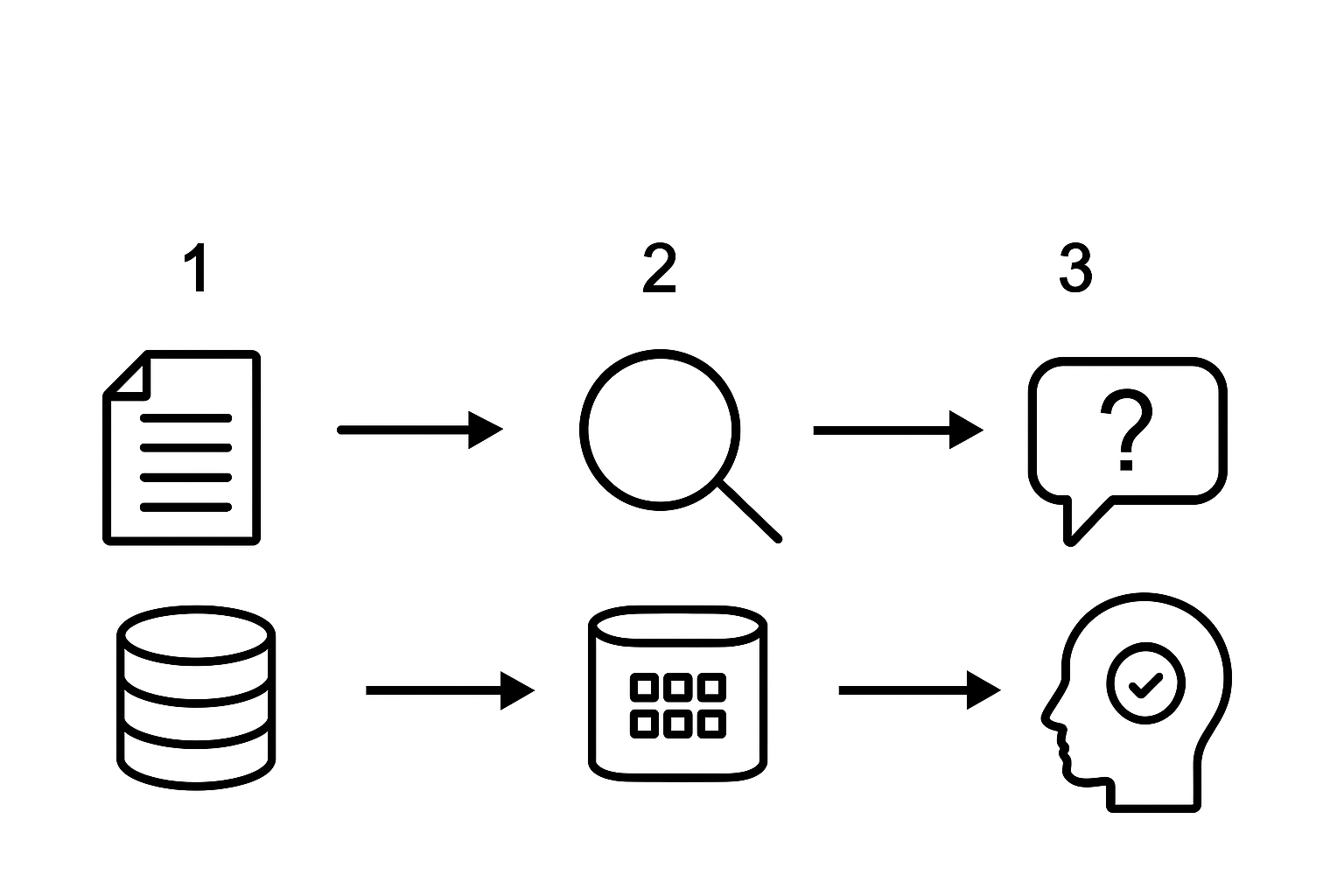
- You need a way to parse documents into a vector database. The goal is to create cut the documents into chunks. The chunks are used to determine the semantic relation between the documents. Snowflake uses Cortex search to determine this relationship under the hood in step 2. Another way to create a vector database based on chunks of text is by using vector embedding functions.
- You need a process to search and retrieve the document relevant to your query. When creating a Cortex search it uses the chunks as input to find the correct document most relevant to the question. Alternatively, you use your own created vector database using the vector embedding functions. In this case, you will embed the question, calculate the differences between the vectors and then determine the most relevant document.
- Lastly, an LLM process converts the retrieved document to answer the question. The LLM uses both the document found in step 2 and the question of the user as input to formulate its answer.
So in conclusion, you need a way to process your documents into smaller pieces, a way to rank and identify the relevant document for your user query and lastly, a way to summarize all the input.
Preparing data
Unfortunately, above steps are high over, if you want to build a solid data pipeline, more actions are required. Even before we create chunks, we want to parse the documents into text. Let’s say you have a database full of newspapers. OCR (Optimal character recognition) is a way to identify areas with text. OCR uses pattern recognition or feature extraction to verify text with a known database of characters. LLMs could be used to improve readability of the text after extraction.
After the text is integrated within a structured data format (a table), you are able to chunk the text. Overlapping the pieces of text will improve RAG’s precision. If you overlap the chunks of text, the semantic differences will be smaller between the chunks. Hence, if you search for a relevant piece, you will have a more accurate finding. In other words, the context of the RAG is optimized.
Lost-In-the middle and context window problem
In a perfect world, you would like to provide an LLM with all the information possible, so you don’t need additional information, but in practice this is difficult. Maybe there is real time data you want the LLM to include and therefore it cannot be included during the LLM interference. Or it takes too much time to fine-tune the model on the data. Another problem arises when the LLM is trained on a very long text input or what’s called a long context input. Research shows that information in the middle of this long context is not as significantly used as the information in the beginning and end.
Bringing it all together
These components could come together in a Streamlit app or any other UI. The integration between Streamlit and the snowflake database will be beneficial for enterprise solutions that do not require an extensive UI UX design. Other UI options (e.g. React) could retrieve the data via an SQL API or Cortex Rest API.
So, the use of RAG is beneficial if you have numerous documents that contain essential information, but are not easily accessible. It takes a long time for somebody to scan through all the documentation and then formulate an answer. This can be done much faster by an LLM. Using Snowflake makes it easy to create a RAG, because a lot of its components are ready to go and easily installable. What documents would you want to parse and search more easily?
If you want to read more about the topic, some references:
Liu, N. F., Lin, K., Hewitt, J., Paranjape, A., Bevilacqua, M., Petroni, F., & Liang, P. (2023). Lost in the Middle: How Language Models Use Long Contexts. arXiv.
Forero, J., & Gultekin, B. (2024, March 5). Easy and Secure LLM Inference and Retrieval Augmented Generation (RAG) Using Snowflake Cortex. Snowflake Blog.